
⭐ New Features
-
Events added to a Discord channel now automatically create a Scheduled Event. (commit: ea7bb0e1, d1ca37e1, 6669c431, 753ff6cc, 21e35d26, d7c8ab11)
To allow the bot to create events, it needs the “Create Events” permission.The easiest way is to re-invite the bot to the server via the invitation link without removing it first and confirm the new permissions. Alternatively, the permissions of the Slotbot role can also be adjusted in the server settings. You can find details on the required permissions in the FAQ.
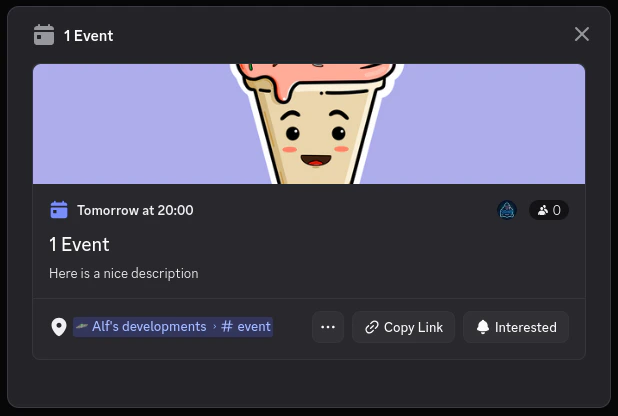
- The scheduled event is automatically created and kept up to date after the event was added to a channel.
- Users who mark themselves as interested in the scheduled event but have not yet slotted will receive a private message reminding them to secure their spot by slotting.
-
Events now support an optional extended description. (commit: 2449287c, b43fb569)
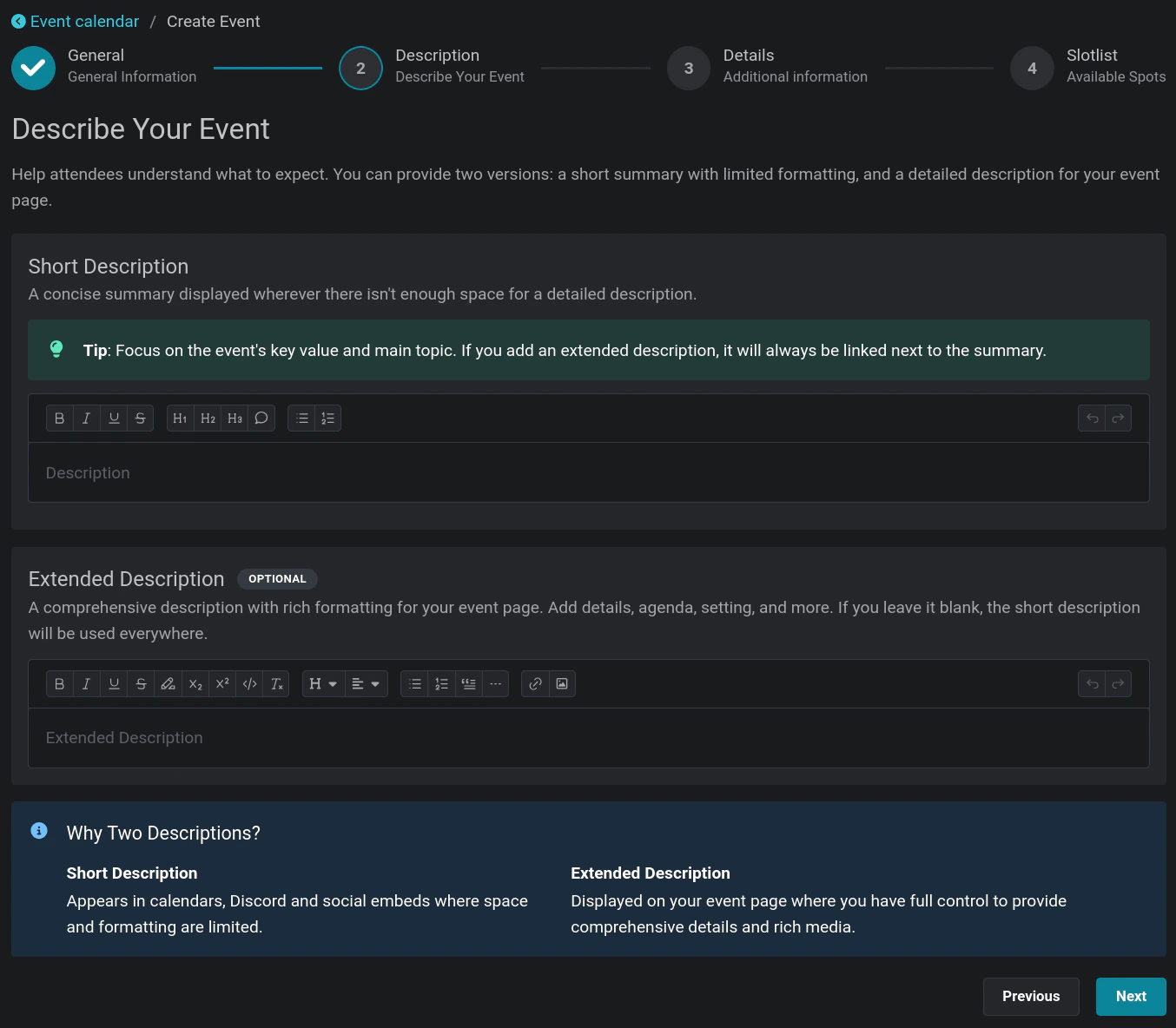
- The extended description supports significantly more characters and rich formatting options. It is only shown on the website. External integrations such as Discord continue to display the short description only. This lets you share detailed event information without being constrained by Discord’s character limits.
- Events now receive an estimated end time based on their length. This applies to both the new Discord Scheduled Events and the existing calendar integration. The estimation falls back to one hour if no duration is specified or can be determined. If you notice any incorrect end times, please let us know so we can improve the estimation. (commit: d208e344)