> ## Documentation Index
> Fetch the complete documentation index at: https://docs.slotbot.de/llms.txt
> Use this file to discover all available pages before exploring further.
# Archive
> When was this...?
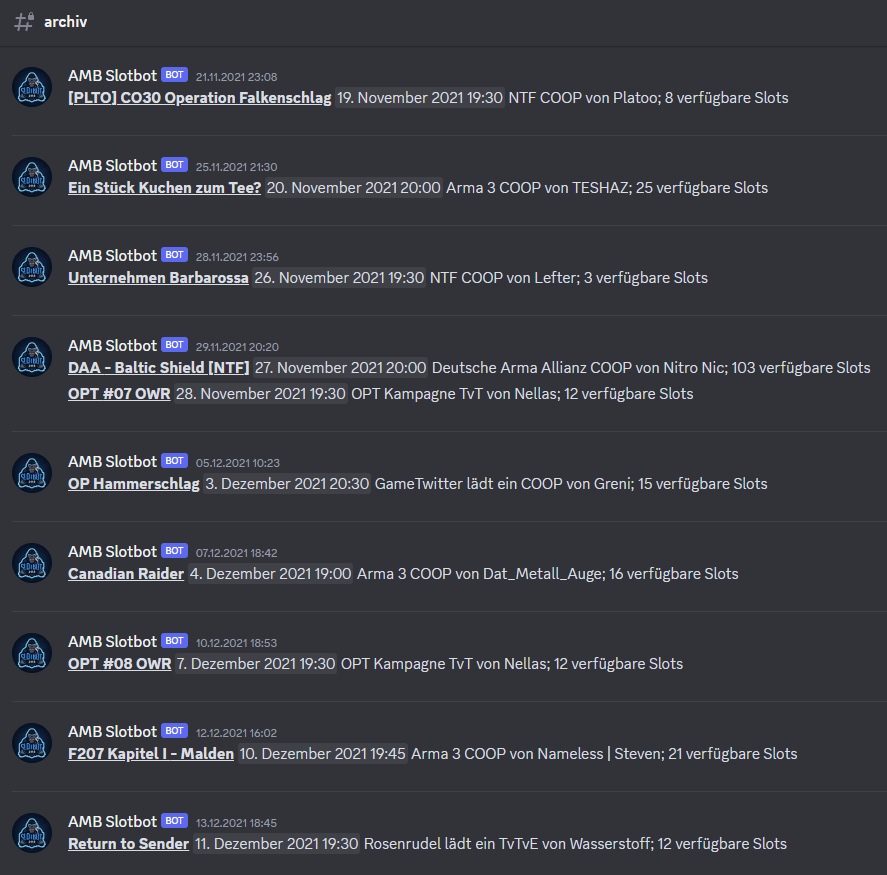
It does not always seem to make sense to keep many channels with old events and their details. However, an event overview can be a useful tool for new players, helping them to identify event days and sizes.
The Slotbot offers the possibility to list all past events in one channel.
 ## Setup
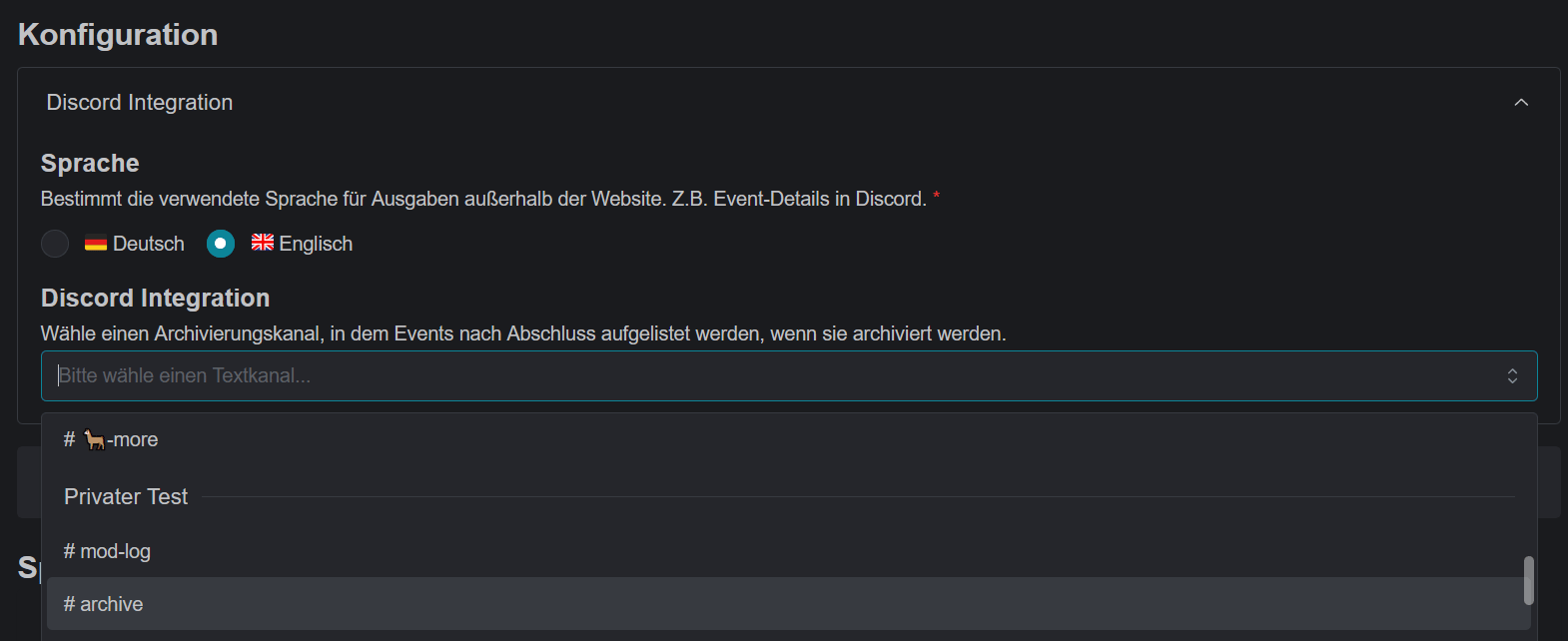
Select an archive channel in the community configuration.
## Setup
Select an archive channel in the community configuration.
 If an event channel is later deleted, the information is automatically posted to the archive channel.
If the channel and event output are to be retained, the [archive](/en/integrations/discord/bot-commands/archive) command can be used as an alternative. This will also trigger the archive message, but the channel can then be used for new events.
## Rebuild Archive
If the archive should ever be moved to another channel or the configuration is done later, the entire archive can be recreated with the [rebuild archive](/en/integrations/discord/bot-commands/rebuild-archive) command. Depending on the number of past events, this may take some time.
If an event channel is later deleted, the information is automatically posted to the archive channel.
If the channel and event output are to be retained, the [archive](/en/integrations/discord/bot-commands/archive) command can be used as an alternative. This will also trigger the archive message, but the channel can then be used for new events.
## Rebuild Archive
If the archive should ever be moved to another channel or the configuration is done later, the entire archive can be recreated with the [rebuild archive](/en/integrations/discord/bot-commands/rebuild-archive) command. Depending on the number of past events, this may take some time.