> ## Documentation Index
> Fetch the complete documentation index at: https://docs.slotbot.de/llms.txt
> Use this file to discover all available pages before exploring further.
# Slotlist Rules
## Requirements
Depending on which [requirements](/en/communities/event-requirements) your community administrator has enabled for the selected event type, you can select them in the slotlist.
You can set requirements for the entire event, for individual squads, or for individual slots. Requirements are added across all levels and are **AND-linked**: participants must fulfil **all** requirements of the event, the squad, and the slot to be able to register.
## Additional rules
Via the three-dot menu behind each squad or slot row, you can configure reservations and blocks in addition to duplication and deletion.
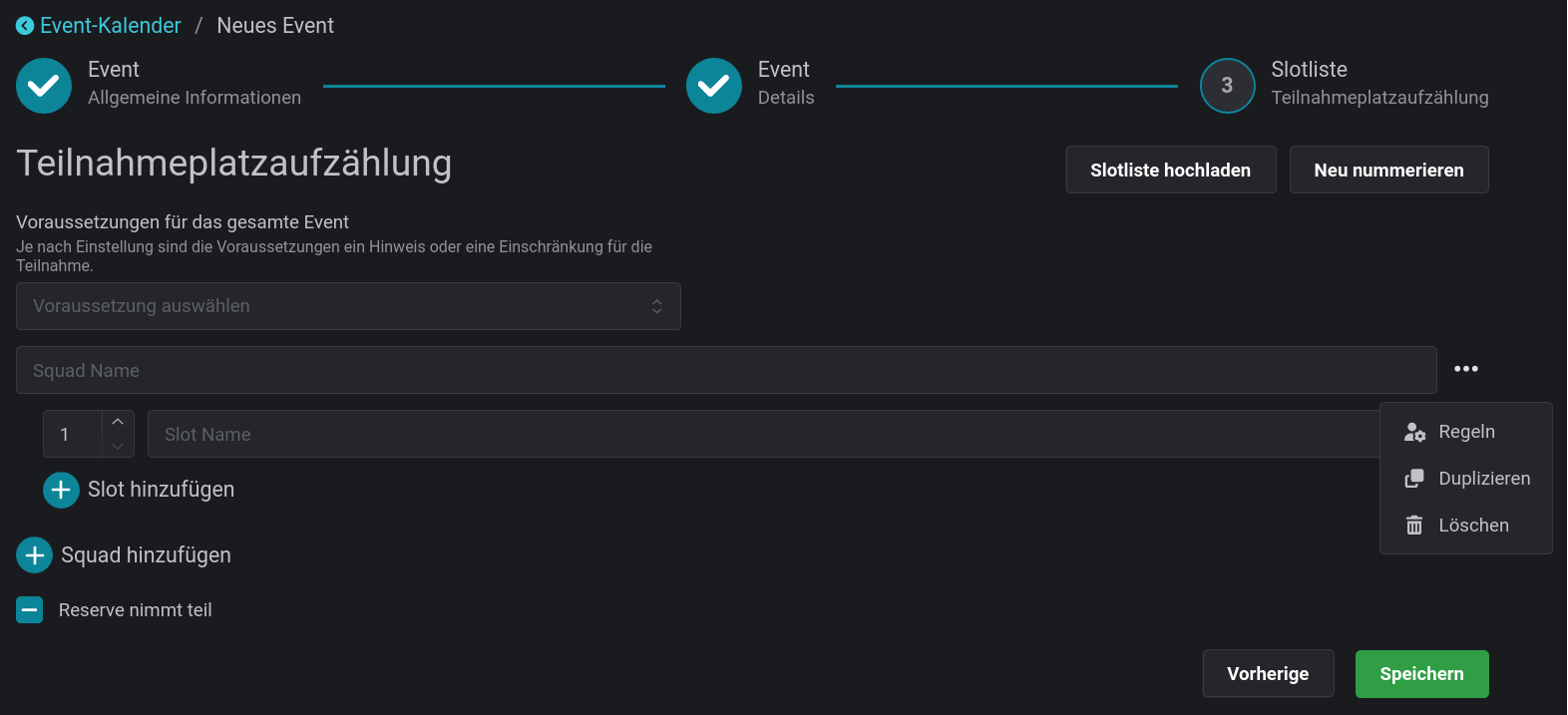 ### Reservation
Entire squads or individual slots can be reserved for a community. Only members of this community can then register for the reserved slots.
If a squad is reserved for a community, all slots inherit this reservation. You can override the reservation for individual slots by selecting a different community there.
### Reservation
Entire squads or individual slots can be reserved for a community. Only members of this community can then register for the reserved slots.
If a squad is reserved for a community, all slots inherit this reservation. You can override the reservation for individual slots by selecting a different community there.
 ### Block
Slots can be blocked to prevent registrations for that slot. In the slotlist, this is displayed either as "*Gesperrt*" or with custom text.
Typical use cases:
* Reserve slots for participants without a Discord account
* Mark slots that are not yet available
You can also manage blocked slots retrospectively using the Discord command [Block slot](/en/integrations/discord/bot-commands/block-slot).
### Block
Slots can be blocked to prevent registrations for that slot. In the slotlist, this is displayed either as "*Gesperrt*" or with custom text.
Typical use cases:
* Reserve slots for participants without a Discord account
* Mark slots that are not yet available
You can also manage blocked slots retrospectively using the Discord command [Block slot](/en/integrations/discord/bot-commands/block-slot).
